
Production bugs are expensive—but the real cost isn’t just fixing them. It’s lost revenue, damaged trust, and engineering time spent firefighting instead of building. According to IBM’s Cost of a Data Breach Report (2023), issues caught in production can cost up to 15x more than those identified during development.
The uncomfortable truth? Traditional debugging is reactive. You detect bugs after they occur. By then, the damage is already done.
This is where ADLC—the AI-driven software development lifecycle—reshapes debugging entirely. Instead of reacting to failures, the AI software development lifecycle predicts, detects, and prevents them before they reach production.
Here’s how AI debugging in ADLC is shifting teams from reactive troubleshooting to proactive quality engineering.
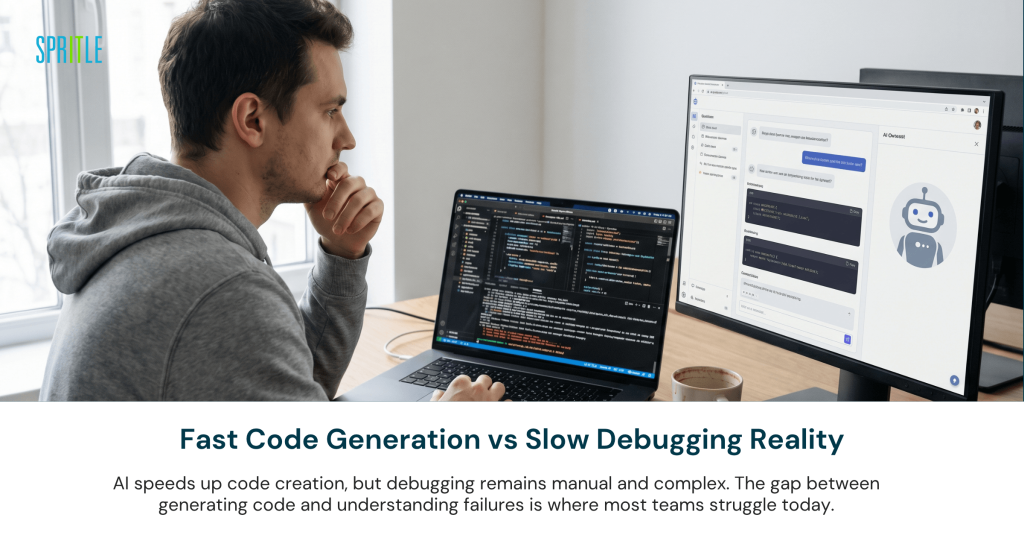
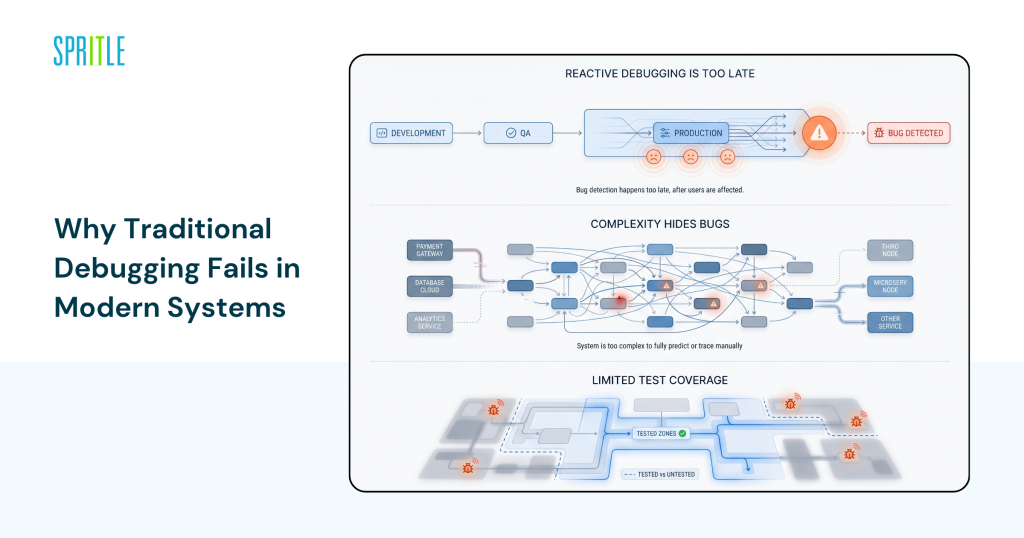
Why Traditional Debugging Fails in Modern Systems
Modern systems aren’t simple anymore. Microservices, distributed architectures, and continuous deployments have made debugging exponentially harder.
Reactive Debugging is Too Late
In traditional SDLC:
- Bugs are identified during QA or after deployment
- Debugging depends on logs, monitoring, and manual tracing
- Fixes often require hot patches or rollbacks
By the time a bug is detected, users may already be impacted.
Google SRE reports (2022) show that over 70% of critical incidents originate from undetected edge cases during development.
Complexity Hides Bugs
Today’s applications involve:
- Dozens (or hundreds) of microservices
- Third-party APIs
- Asynchronous workflows
This complexity makes it nearly impossible to predict all failure scenarios manually.
Limited Test Coverage
Even with strong QA:
- Test cases cover expected scenarios
- Edge cases and rare conditions are often missed
Traditional debugging relies on what you think could go wrong—not what actually will.
What AI Debugging in ADLC Actually Means
AI debugging in ADLC goes beyond log analysis or automated testing. It introduces predictive intelligence into the debugging process.
Predictive Bug Detection
AI models analyze:
- Code patterns
- Historical bug data
- Runtime behavior
They can flag potential issues before code is even executed.
Tools like DeepCode (Snyk Code) and GitHub Advanced Security use machine learning to detect vulnerabilities and logic flaws during development.
Intelligent Test Generation
Instead of writing test cases manually, AI:
- Generates test scenarios dynamically
- Identifies edge cases based on system behavior
- Continuously updates test coverage
This is a key capability in modern AI lifecycle management tools.
Anomaly Detection in Real Time
AI monitors:
- Application logs
- Performance metrics
- User behavior
It detects anomalies that indicate potential bugs—even if they haven’t caused failures yet.
According to Gartner (2024), AI-powered observability tools can reduce incident detection time by up to 60%.
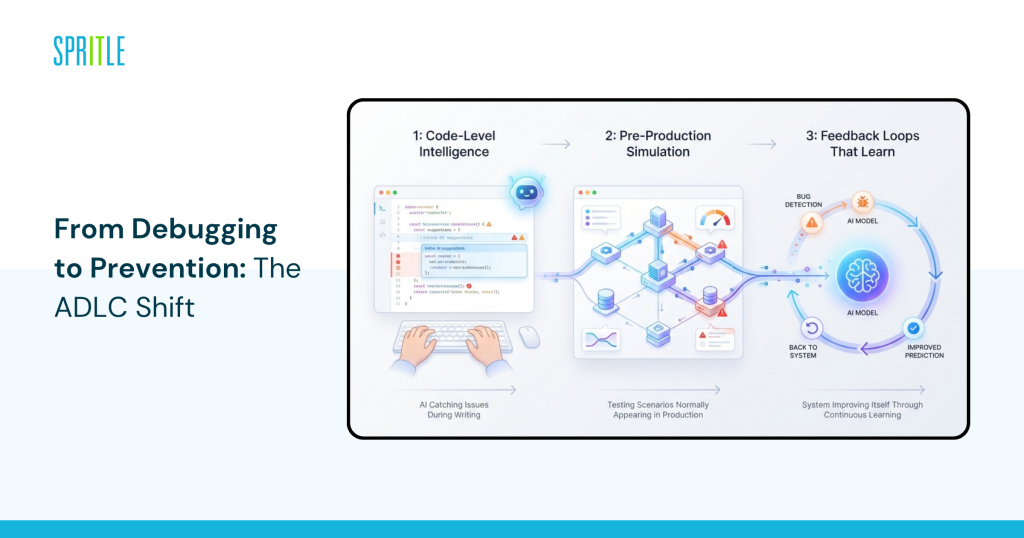
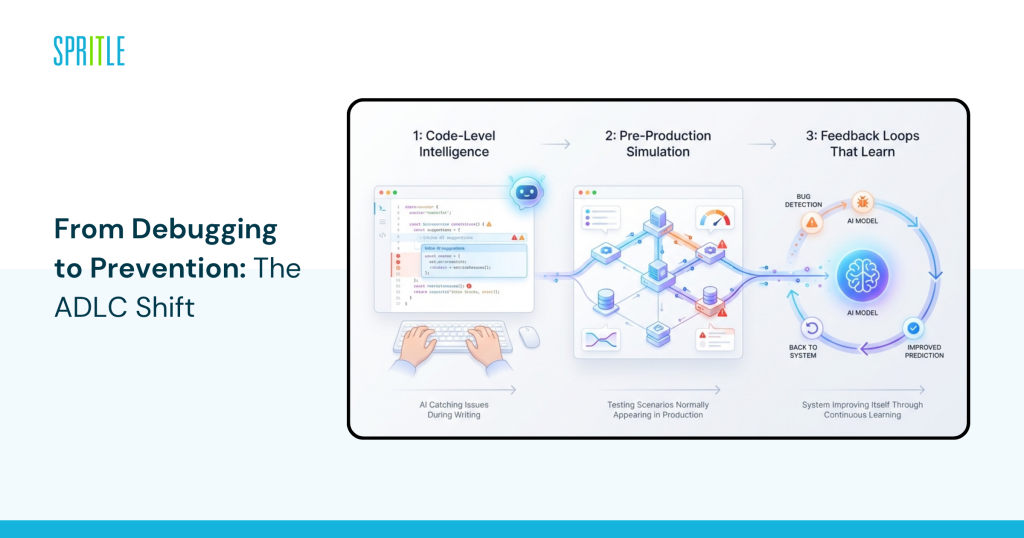
From Debugging to Prevention: The ADLC Shift
This is where it gets interesting.
In the AI-driven software development lifecycle, debugging is no longer a phase—it’s a continuous capability embedded across the lifecycle.
Code-Level Intelligence
AI tools analyze code as it’s written:
- Suggest fixes in real time
- Highlight risky patterns
- Prevent bugs from entering the codebase
GitHub Copilot and Amazon CodeWhisperer are already enabling this at scale.
Pre-Production Simulation
AI can simulate:
- User traffic patterns
- System load conditions
- Failure scenarios
This helps teams identify bugs that would only appear in production environments.
Feedback Loops That Learn
Every bug detected:
- Feeds back into AI models
- Improves future predictions
Over time, the system becomes more accurate at identifying risk areas.
Forrester (2023) notes that organizations using AI debugging report 30–50% fewer production incidents.
Real-World Examples of AI Debugging in Action
1. Netflix’s Chaos Engineering + AI Insights
Netflix uses chaos engineering tools like Chaos Monkey combined with advanced analytics.
Outcome:
- Simulates failures proactively
- Identifies weaknesses before users are impacted
- Reduces downtime significantly
This aligns closely with ADLC’s predictive debugging approach.
2. Meta’s Static Analysis at Scale
Meta (Facebook) uses AI-driven static analysis tools to scan millions of lines of code.
Outcome:
- Detects bugs before deployment
- Reduces manual code review overhead
- Improves overall code quality
Their systems catch thousands of potential issues daily.
3. Amazon’s Automated Testing and Monitoring
Amazon integrates AI into:
- Testing pipelines
- Monitoring systems
Outcome:
- Faster bug detection
- Automated root cause analysis
- Continuous improvement of debugging models
This is a strong example of AI software development lifecycle in enterprise environments.
The Business Impact: Why CTOs Are Prioritizing AI Debugging
This isn’t just a technical upgrade—it’s a business decision.
Reduced Downtime and Revenue Loss
Production bugs can:
- Interrupt services
- Impact customer experience
- Lead to churn
AI debugging minimizes these risks.
Engineering Efficiency Gains
Teams spend less time:
- Debugging production issues
- Writing repetitive test cases
And more time building new features.
Improved Product Reliability
Consistent performance builds:
- Customer trust
- Brand reputation
This is especially critical for SaaS platforms evaluating hire AI development team strategies.
The Challenges You Shouldn’t Ignore
The honest answer is: AI debugging introduces its own complexities.
False Positives
AI tools may:
- Flag non-critical issues
- Create noise in development workflows
Teams need to fine-tune models and thresholds.
Integration Complexity
Implementing AI debugging requires:
- Integration with CI/CD pipelines
- Alignment with existing tools
This is where many teams struggle without ADLC consulting services.
Skill Gaps
Engineers need to:
- Understand AI-generated insights
- Interpret predictions effectively
Without proper training, AI tools can be underutilized.
How to Implement AI Debugging in Your ADLC
You don’t need a full overhaul to get started.
Practical Adoption Steps
- Start with AI-powered code analysis tools
Integrate tools like Snyk Code or GitHub Advanced Security - Enhance your testing strategy with AI
Use AI to generate and expand test cases - Adopt AI-driven observability platforms
Tools like Datadog or Dynatrace offer anomaly detection - Build feedback loops into your pipeline
Ensure bugs feed back into AI models for continuous improvement - Evaluate expert support when scaling
Partnering with ADLC consulting services can accelerate adoption
What to Look for in an AI Debugging Strategy
What separates teams that prevent bugs from those that chase them is foresight.
A strong AI debugging strategy includes:
- End-to-end visibility across the AI-driven software development lifecycle
- Integration between development, testing, and monitoring tools
- Continuous learning models that improve over time
- Alignment with business goals—not just technical metrics
Organizations that get this right don’t just reduce bugs—they redefine quality.
FAQ
Q: How does AI debugging differ from traditional debugging?
A: Traditional debugging is reactive, focusing on fixing issues after they occur. AI debugging in ADLC is proactive, using machine learning to predict, detect, and prevent bugs before they reach production.
Q: Can AI debugging completely eliminate production bugs?
A: No system can guarantee zero bugs. However, AI debugging significantly reduces the likelihood and severity of production issues by identifying risks early.
Q: What tools are commonly used for AI debugging?
A: Tools like Snyk Code, GitHub Advanced Security, Datadog, Dynatrace, and Amazon CodeWhisperer are widely used for AI-powered debugging and observability.
Q: Is AI debugging suitable for small development teams?
A: Yes. Many AI debugging tools are scalable and can be adopted incrementally, making them accessible even for smaller teams.
Conclusion
Catching bugs in production is no longer acceptable when the technology exists to prevent them entirely. ADLC shifts debugging from a reactive process to a predictive capability embedded across the lifecycle.
The AI-driven software development lifecycle doesn’t just improve debugging—it changes how quality is defined. Instead of testing for failures, you design systems that anticipate and avoid them.
If your team is still relying on traditional debugging, the gap between you and competitors using the AI software development lifecycle will only widen. The teams that invest in AI debugging now are the ones shipping faster, breaking less, and building trust at scale.