
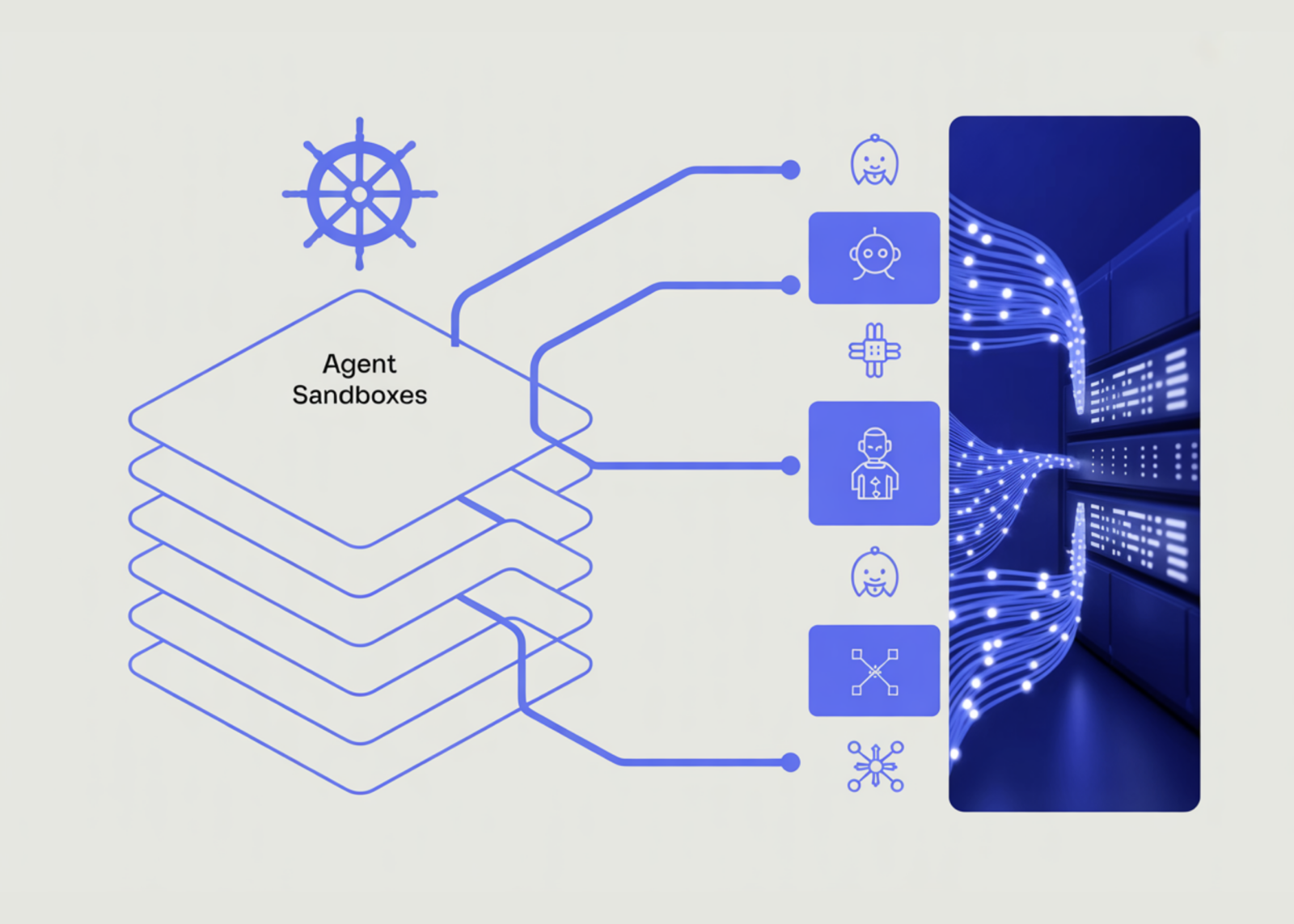
Running AI agents in a local script is straightforward. Running them reliably in production across teams, across restarts, with isolated environments per context is a different problem entirely. BerriAI, the company behind the LiteLLM AI Gateway, is now open-sourcing a purpose-built answer to that problem: the LiteLLM Agent Platform. The platform is described as a simple, self-hosted infrastructure platform for running multiple agents in production.
What Problem Does it Solve?
It helps to understand what happens when you try to scale agents beyond a single process. Agents are stateful: they carry session history, tool call results, and intermediate reasoning across turns. If the container running your agent crashes, restarts, or gets replaced during a deployment, that session state is gone unless something is explicitly managing it. At the same time, different teams often need different runtime environments, different tools, different secrets, different access scopes which means you cannot throw all agents into one shared container.
The platform manages two things: per-team and per-context sandboxes, and session continuity across pod restarts and upgrades. These two capabilities are the core infrastructure primitives the platform provides.
Architecture and Technical Stack
The platform is a standalone Next.js dashboard for LiteLLM v2 managed agents, covering sessions chat, agent CRUD, and live status. The codebase is primarily TypeScript (92.8%), with Shell scripts for provisioning, a Dockerfile for containerization, and CSS for the dashboard UI.
The architecture separates concerns cleanly. A web process runs on port 3000 and serves the Next.js dashboard. A worker process handles async agent tasks. Postgres is used as the persistent backing store, and a schema migration runs as an init container on startup — so the database is always in the correct state before the application boots.
For the sandbox layer — the isolated runtime environment where agents actually execute — sandboxes run on Kubernetes via the kubernetes-sigs/agent-sandbox CRD. Local development uses kind. If you are not already familiar with it: kind (Kubernetes in Docker) lets you spin up a full Kubernetes cluster locally using Docker containers as nodes, without needing a cloud provider. The agent-sandbox CRD (Custom Resource Definition) is a Kubernetes extension from kubernetes-sigs that the platform installs to manage the lifecycle of individual sandbox environments.
The platform also includes a harness system under harnesses/opencode, which contains the configuration for running coding agents — such as Claude Code or OpenAI Codex — inside isolated sandboxes with a vault proxy for credential management. BerriAI team also maintains a separate litellm-agent-runtime repository, described as a coding-agent runtime that runs inside per-session VMs provisioned by a LiteLLM proxy, generic by design, with customization happening via harness configuration or a hydrate payload.
One practical detail worth noting is how environment variables are handled across sandbox containers. Anything in .env prefixed with CONTAINER_ENV_ is injected into every sandbox container with the prefix stripped — for example, CONTAINER_ENV_GITHUB_TOKEN=ghp_... means the container sees GITHUB_TOKEN=ghp_... This gives teams a clean way to pass secrets into sandboxed agent sessions without modifying container images.

Getting Started
The prerequisites for local development are Docker Desktop, kind, kubectl, helm, and a LiteLLM gateway. No cloud credentials are required to get started locally. The quickstart is two commands:
bin/kind-up.sh
docker compose up
bin/kind-up.sh is idempotent — it provisions a kind cluster named agent-sbx, installs the agent-sandbox controller, and loads the harness image. docker compose up boots Postgres, runs the schema migration, and starts the web process on port 3000 along with the worker.
For production deployment, the recommended path is AWS EKS for the sandbox cluster and Render for the web and worker processes. bin/eks-up.sh provisions the EKS cluster, and a Render Blueprint provides a one-click deployment option.
Relationship to the LiteLLM Gateway
The Agent Platform is a layer on top of the existing LiteLLM ecosystem, not a replacement for it. LiteLLM’s core is a Python SDK and Proxy Server — an AI Gateway — that calls 100+ LLM APIs in OpenAI format, with cost tracking, guardrails, load balancing, and logging, supporting providers including Bedrock, Azure, OpenAI, VertexAI, Cohere, Anthropic, SageMaker, HuggingFace, vLLM, and NVIDIA NIM. The Agent Platform consumes a running LiteLLM gateway as a dependency and builds agent orchestration and session management infrastructure on top of it. Model routing, cost tracking, and rate limiting remain in the gateway layer. Sandbox isolation, session continuity, and the management dashboard are handled by the Agent Platform.
Marktechpost’s Visual Explainer
Overview
Concepts
Architecture
Prerequisites
Quickstart
Production
1 / 6
Key Takeaways
- BerriAI open-sourced LiteLLM Agent Platform, a self-hosted infrastructure layer for running multiple AI agents in production with per-team sandbox isolation and session continuity across pod restarts.
- Sandboxes run on Kubernetes via the
kubernetes-sigs/agent-sandboxCRD — locally with kind, in production with AWS EKS — no cloud credentials needed to get started. - The platform sits on top of the existing LiteLLM Gateway, which handles model routing, cost tracking, and rate limiting across 100+ LLM providers in OpenAI format.
- The quickstart is two commands:
bin/kind-up.shprovisions the kind cluster and installs the sandbox controller;docker compose upboots Postgres, web (:3000), and worker. - Released under MIT license and currently in alpha public preview
Check out the GitHub Repo. Also, feel free to follow us on Twitter and don’t forget to join our 150k+ ML SubReddit and Subscribe to our Newsletter. Wait! are you on telegram? now you can join us on telegram as well.
Need to partner with us for promoting your GitHub Repo OR Hugging Face Page OR Product Release OR Webinar etc.? Connect with us